What's New
Updates for version 1.9.0 and earlier are available in Japanese only.What's New in Japanese
Version 1.10.1
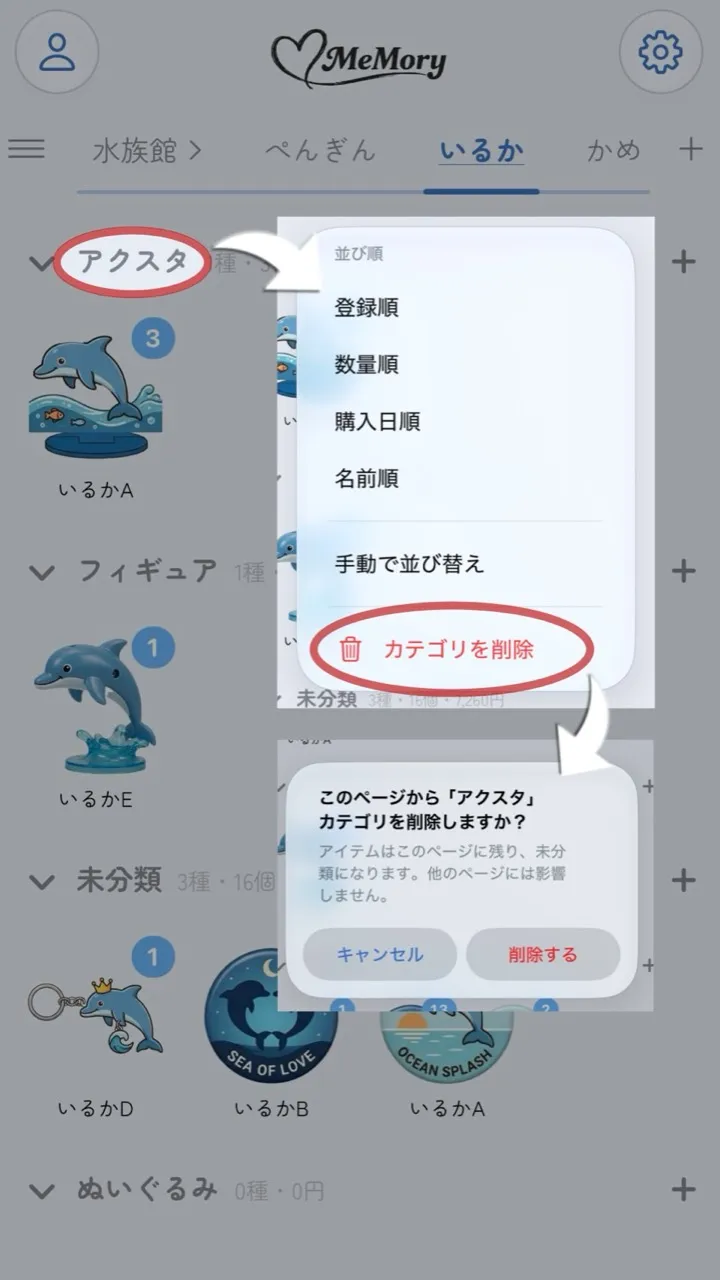
Category Deletion Has Been Improved!
Previously, deleting a category removed it from every page. With this update, you can delete a category from individual pages! To delete a category from every page, select “Delete Category” on the “All” page. You can now choose where to delete a category. Give it a try!
Bug Fixes & Improvements
We fixed iCloud syncing. We expect a significant improvement, but we may have missed some issues. If you encounter a problem, please contact us through the bug report form 🙇
Version 1.10.0
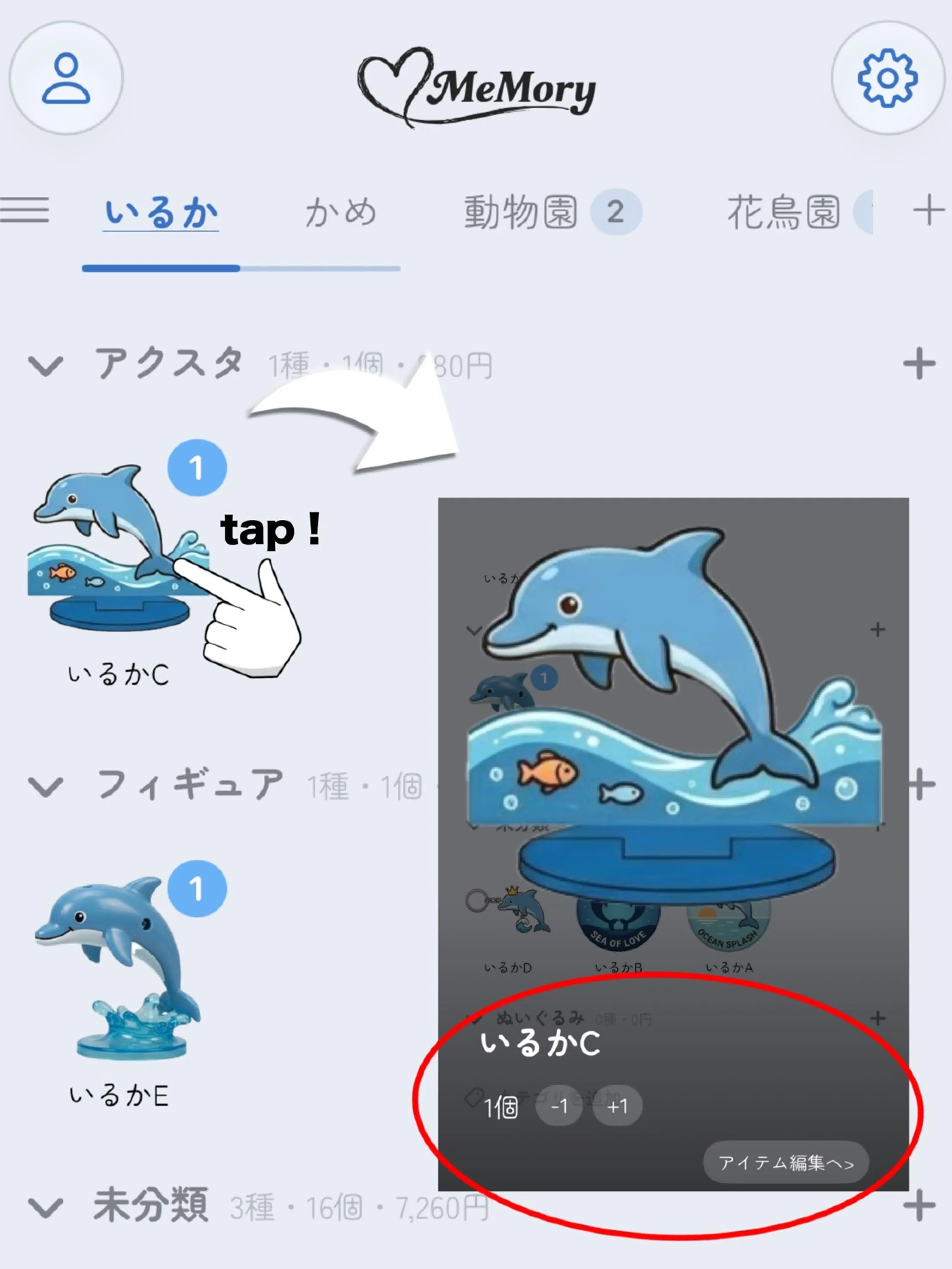
Preview & Quick Edit for Collectible Images!
Tap a collectible image to open Preview & Quick Edit mode. • Edit the item name and quantity right there. • Zoom in or out to view the image at your preferred size. • Tap “Edit Item” at the bottom right of the quick edit screen to switch to the standard editor.
Easier Navigation
Touch and hold a collectible to enter reorder mode.
Other
• Past updates are now available through a web page link. • Improved internal processing.
Version 1.7.0
Bug Fix
Fixed an issue that prevented some people from editing their items.
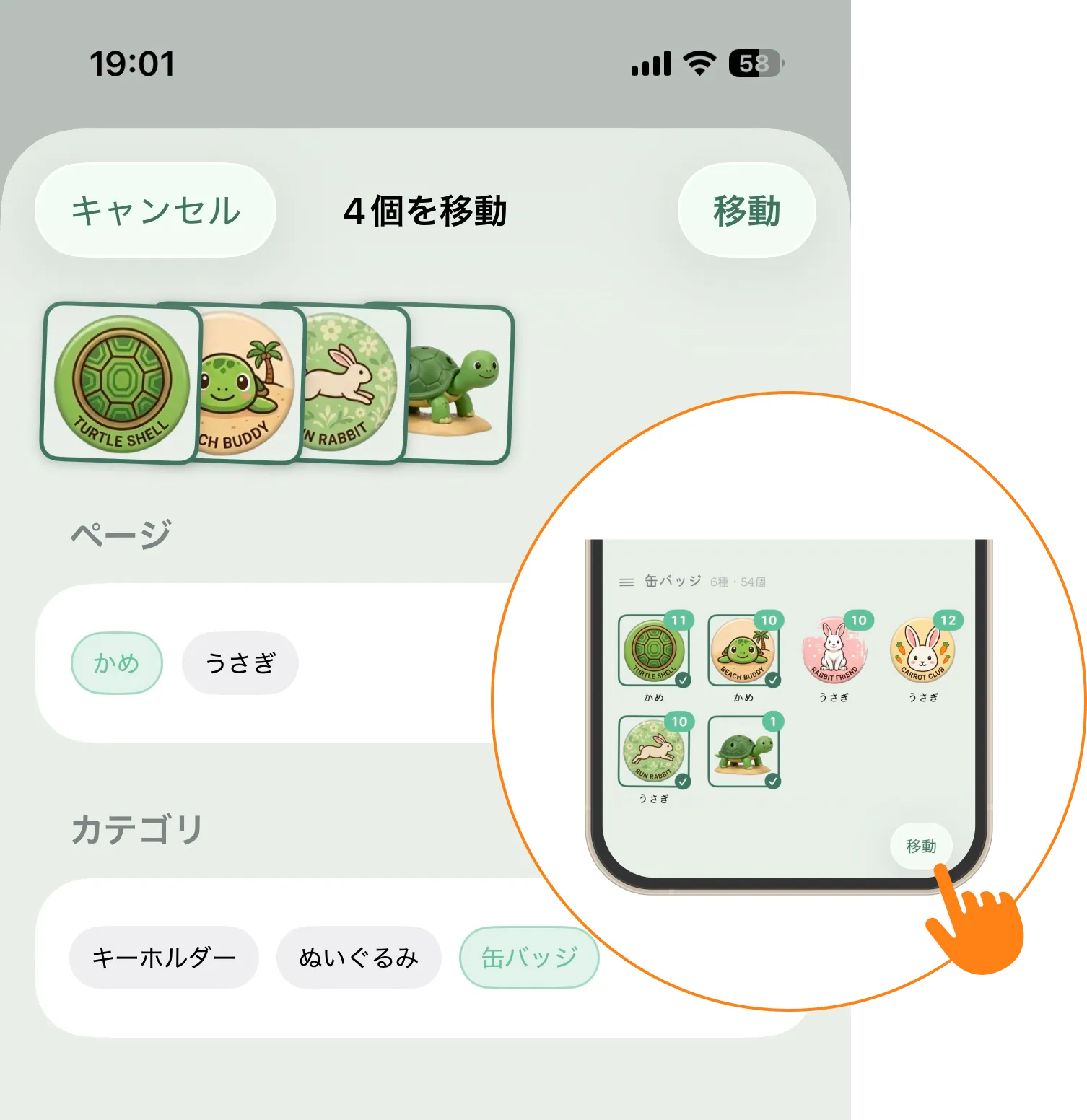
Move Items in Bulk
Use the Move button at the bottom right of edit mode to change the page and category of selected items at once. Touch and hold an item → Select items in edit mode and tap Move → Choose a destination page and category, then tap Move at the top right ※ Only categories linked to the selected page are shown.
Other
Added more operation logs to bug reports to help improve iCloud syncing.
Version 1.6.0
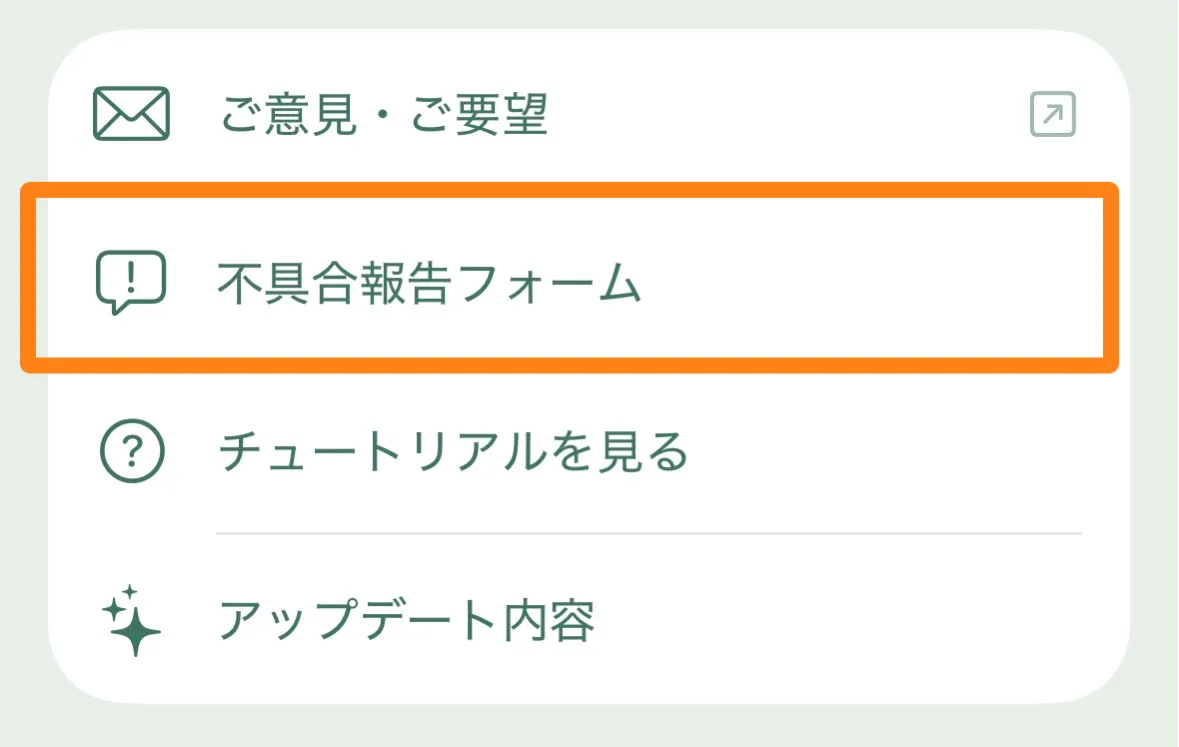
Redesigned Bug Report Form
We replaced the questionnaire with a new reporting method that lets us investigate issues in greater detail.
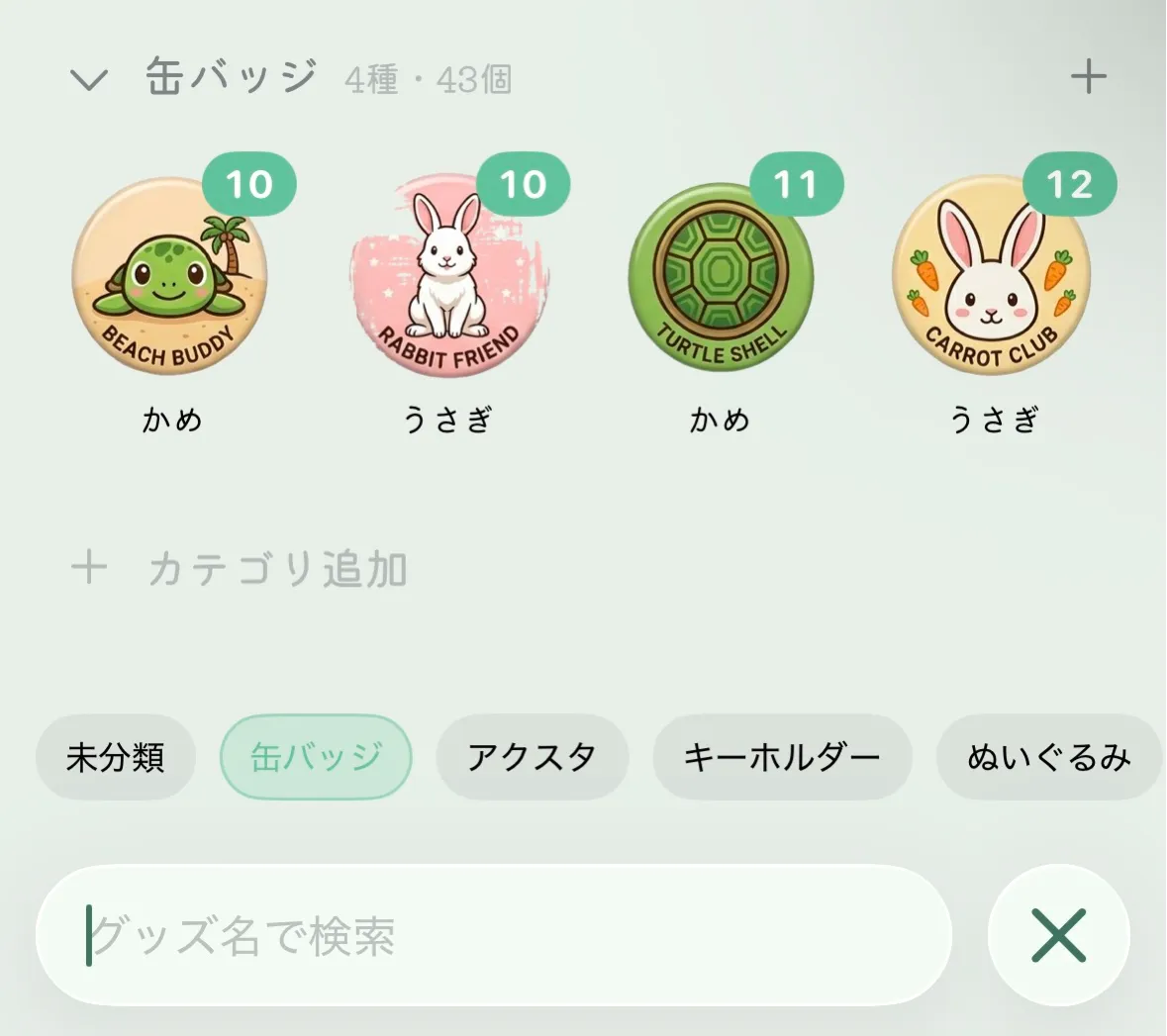
Search with Category Filters
You can now search using a combination of categories and item names.
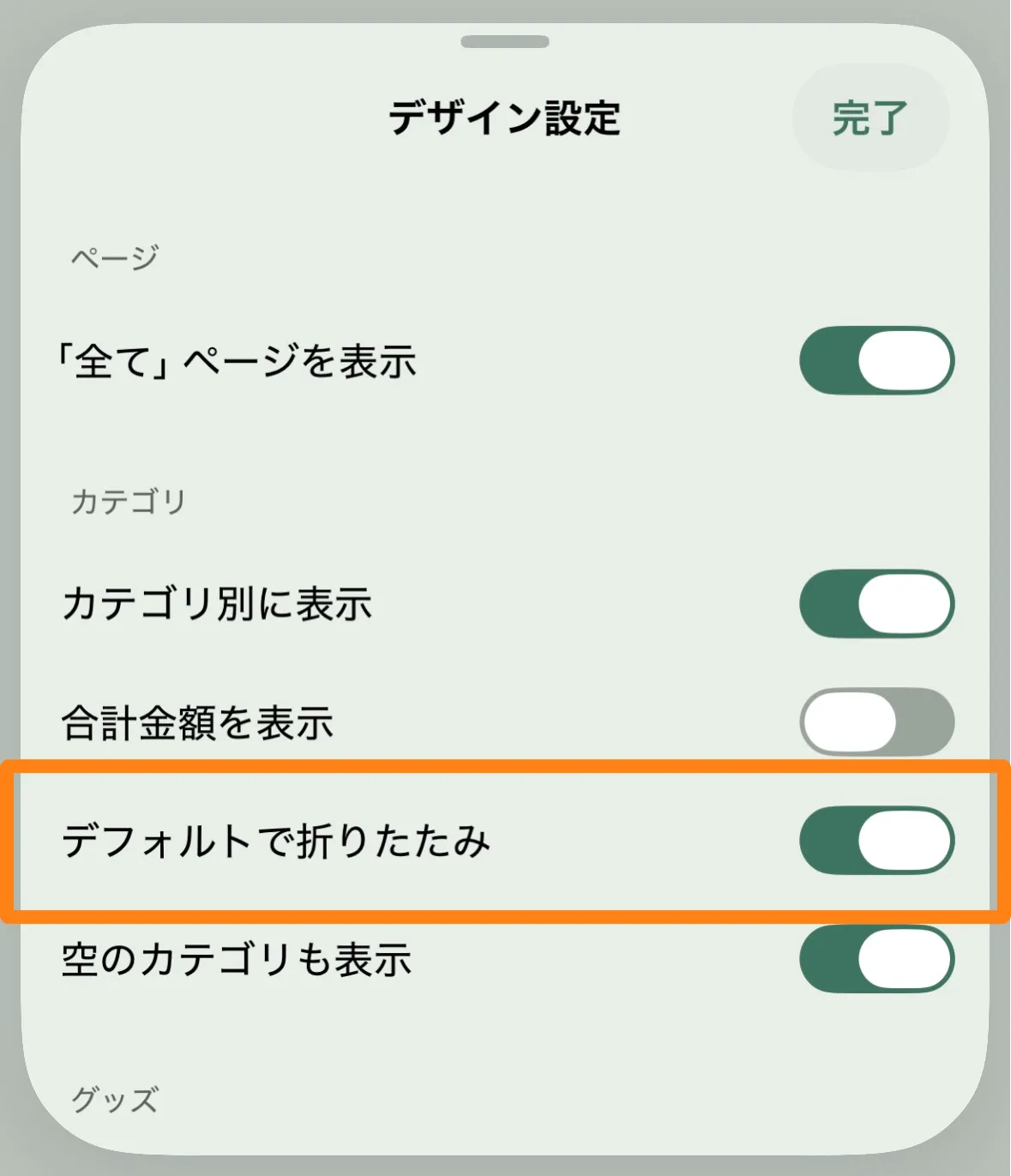
Set Categories to Collapse by Default
You can now set categories to be collapsed by default when you open the app.
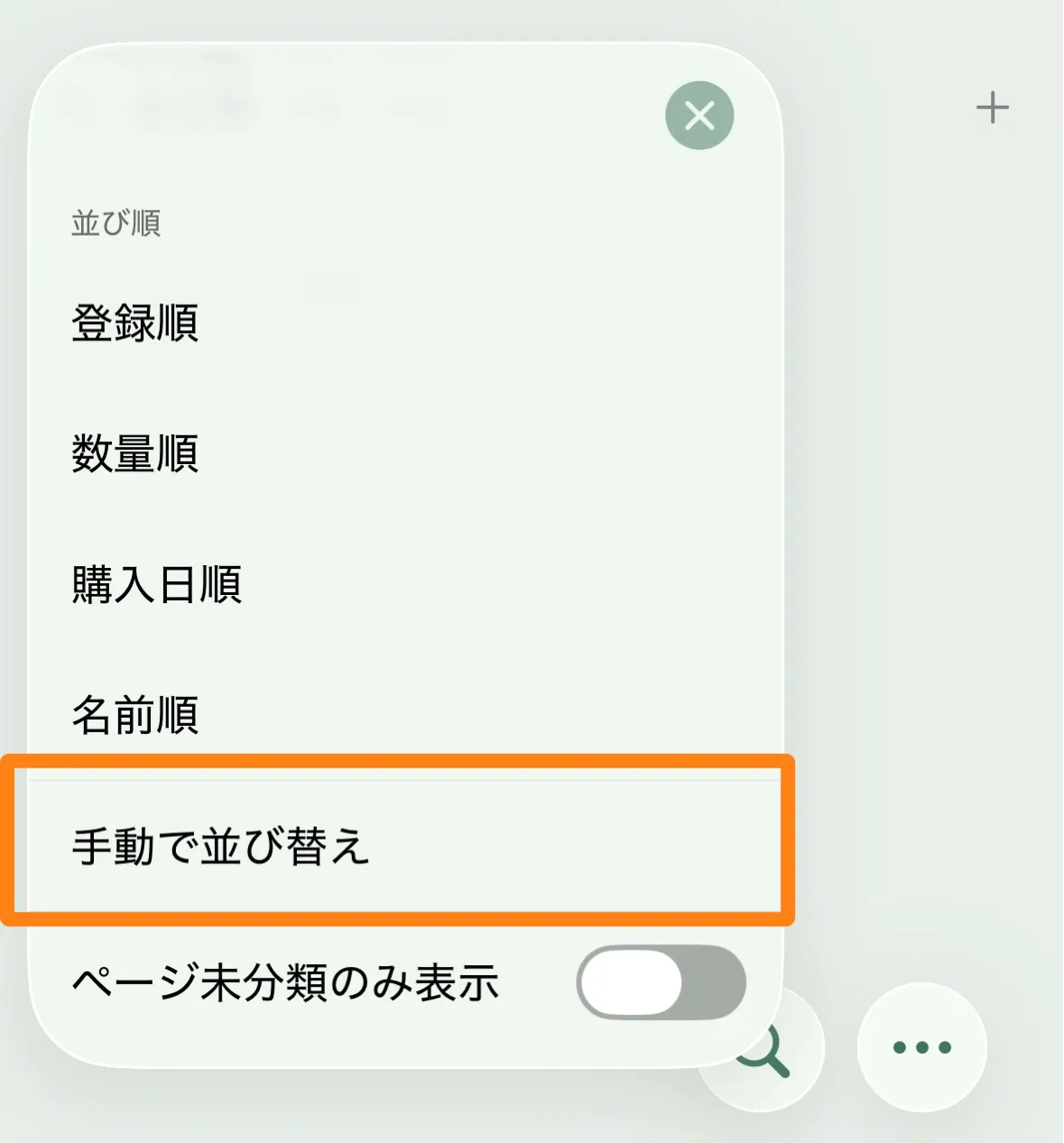
Added a Manual Reorder Button
In addition to long-pressing an item or the background, you can now enter manual reorder mode from the bottom-left button.
More Languages Supported
Added support for English, Traditional Chinese, and Korean.
Other
We made fixes to improve syncing and app performance.